How to split a restaurant bill fairly, item by item
The short answer. If everyone ordered roughly the same, split equally. If orders were very different, split by item: everyone pays for what they had, shared dishes are split among the people who shared them, and tax and tip are spread either equally or in proportion to what each person ordered. One person pays the bill and everyone pays them back.
What works
- Decide before the bill comes. “Equal unless someone shouts” works for most dinners. Item by item is fairer when one person had a starter, two drinks and dessert and another had a salad.
- Let one person pay. Splitting across six cards slows down the staff and still leaves rounding to argue about. One payer and a quick pay-back is simpler.
- Split shared dishes among the people who ate them, not the whole table.
- Share tax and tip in proportion when orders differ a lot, so the person with the bigger order carries more of it. When orders are similar, equal is fine.
- Settle the same day, while everyone remembers what they ate.
How to do it in Halv
- Scan the receipt. The person who paid takes a photo of the bill, and Halv reads every line into an item. Receipt scanning is Halv's one paid feature: the first three scans are free, then a one-off pass.
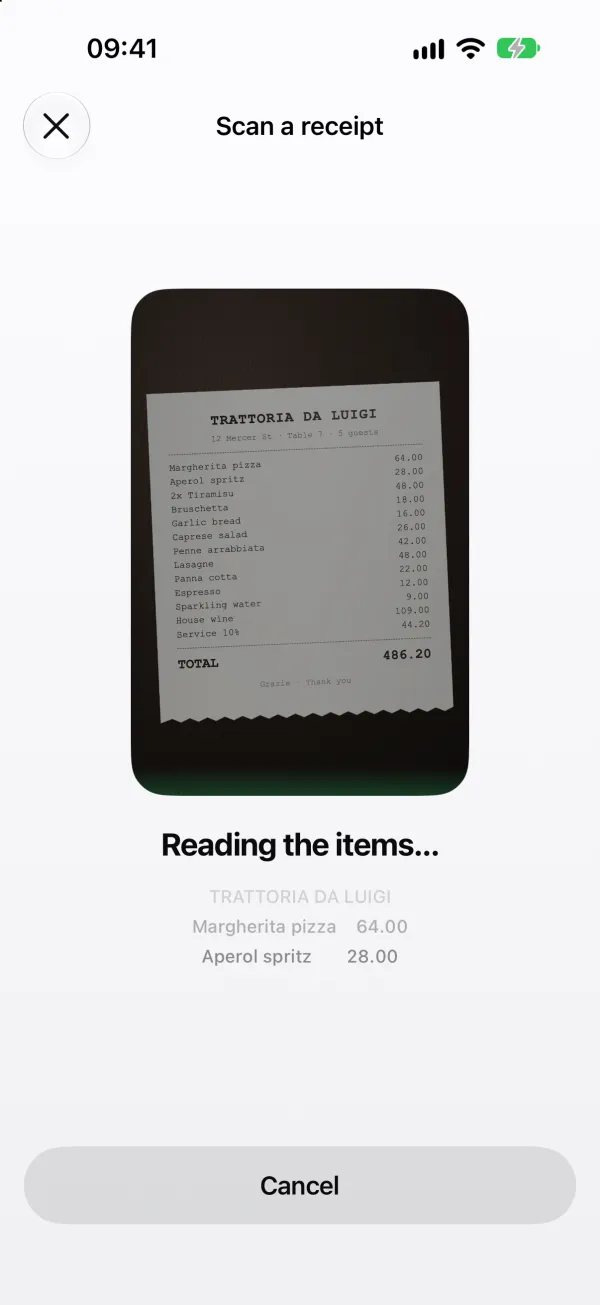
Halv reads the receipt line by line. - Everyone taps what they had. A dish several people shared is split equally among them, and lines like “2× Tiramisu” can be claimed one each. Halv won't save until every item has someone.
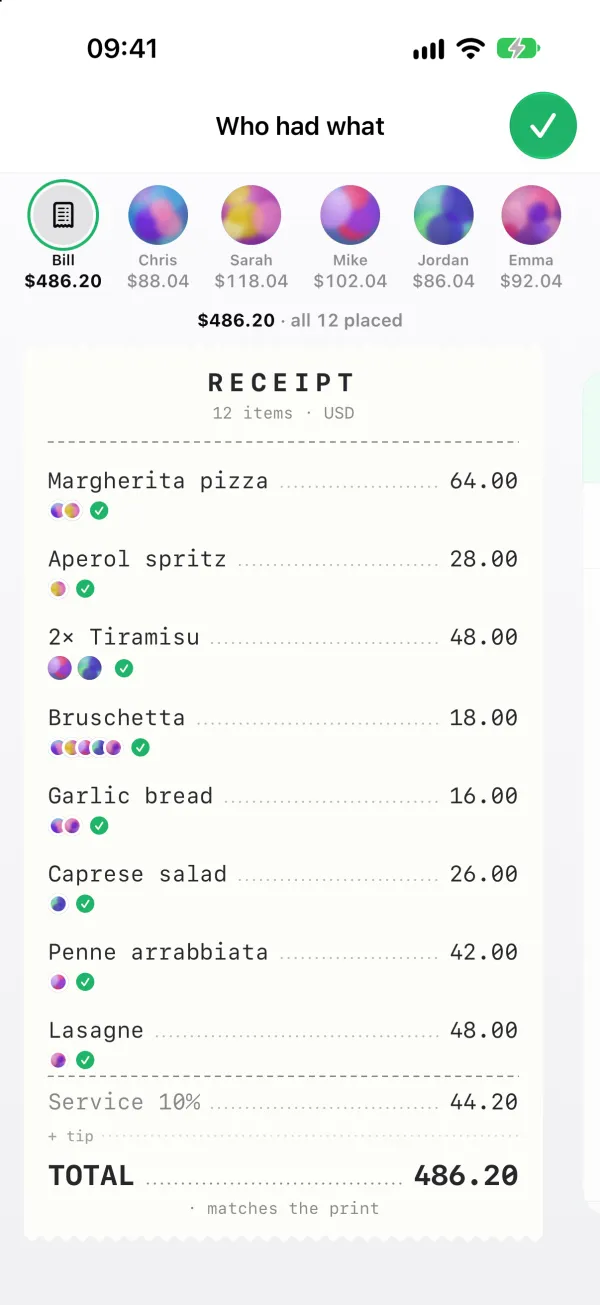
Everyone taps their dishes. Chris's share: $88.04 of $486.20. - Choose how tax and tip are shared. Tax, service charge and any tip you add become one “Tax & tip” line. Split it equally, or in proportion to items so bigger orders carry more. Discounts come off the whole bill.
- Let the cents sort themselves out. Shares are rounded to the cent and any leftover cent goes to the payer, so the total always adds up exactly.
- Share it with the table. Save it to a group or as a one-off split, then share a link. Anyone can open the bill in a browser, see the items and what they owe, with no account needed.
- Pay back in one tap. Revolut opens with the amount filled in, or copy the payer's IBAN or BLIK number. Then mark it as paid.
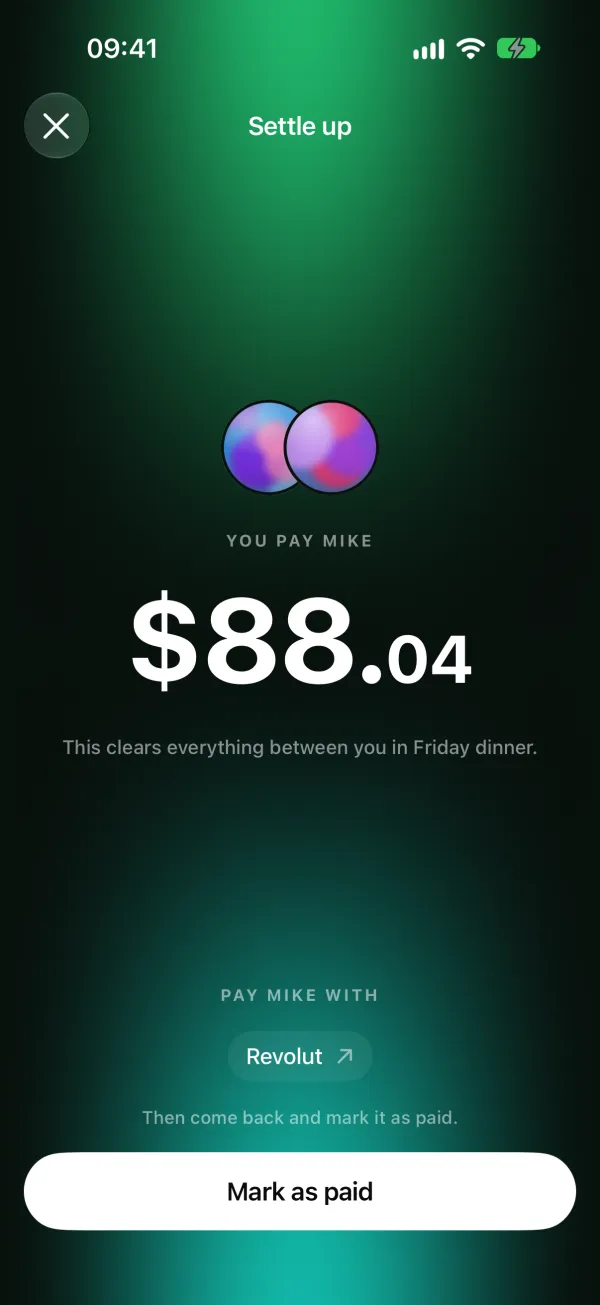
Pay Mike back with Revolut, then mark it as paid.
Questions
Is it fairer to split a restaurant bill equally or by item?
Equal is fair and fast when everyone ordered roughly the same. When orders differ a lot, splitting by item is fairer: everyone pays for what they had, and shared dishes are split among the people who shared them.
How should tip and service charge be split?
In proportion to what each person ordered is fairest when orders differ, because the tip scales with the bill. When orders are similar, splitting it equally is simpler and nearly the same. Halv lets you choose either for its combined “Tax & tip” line.
How do you split a bill with someone who doesn't have the app?
Share the bill as a link. In Halv, anyone can open it in a browser and see the items, their share and how to pay the payer back, with no account.
Is receipt scanning in Halv free?
The first three scans are free. After that it's a one-off Trip Pass for yourself or a Group Pass that covers everyone in the group, never a subscription. Splitting by hand is always free.
More guides: Split trip expenses · Split rent and bills with flatmates. Comparing apps? Halv vs Splitwise · Halv vs Tricount · Halv vs Settle Up